


Creating an effective home workspace organisation can transform the way you work, helping you stay focused, efficient, and motivated. Whether you are working remotely full-time or just occasionally, a well-organised workspace plays a key role in enhancing productivity and reducing stress. This guide will walk you through practical steps to organise your home workspace for a more productive day.
Why Organising Your Home Workspace Matters
A cluttered or poorly arranged workspace can lead to distractions, frustration, and lost time. When everything you need is within reach and your environment is calming, it is easier to concentrate and maintain a healthy workflow. An organised workspace also signals a clear mental space, which can increase creativity and job satisfaction.
Step 1: Choose the Right Location
Selecting a suitable spot for your workspace is the foundation of productivity. Consider these factors:
– Natural light: Position your desk near a window if possible, as daylight improves focus and mood.
– Minimal distractions: Avoid high-traffic areas, such as kitchens or living rooms, where interruptions are frequent.
– Comfortable space: Ensure there is enough room to move, stretch, and store your equipment.
Step 2: Invest in Functional Furniture
Your furniture doesn’t need to be expensive, but it should suit your needs:
– Ergonomic chair: Supports good posture and reduces back strain.
– Appropriate desk: A desk at the right height encourages proper ergonomics.
– Adjustable setups: Consider sit-stand desks if possible to alternate positions during work.
Step 3: Declutter and Prioritise Essentials
Removing unnecessary items declutters your mind as well as your desk. Here’s how to keep your workspace tidy:
– Only keep items you use regularly on your desk.
– Store stationery, documents, and gadgets in drawers or organisers.
– Reduce paper clutter by digitising notes and files.
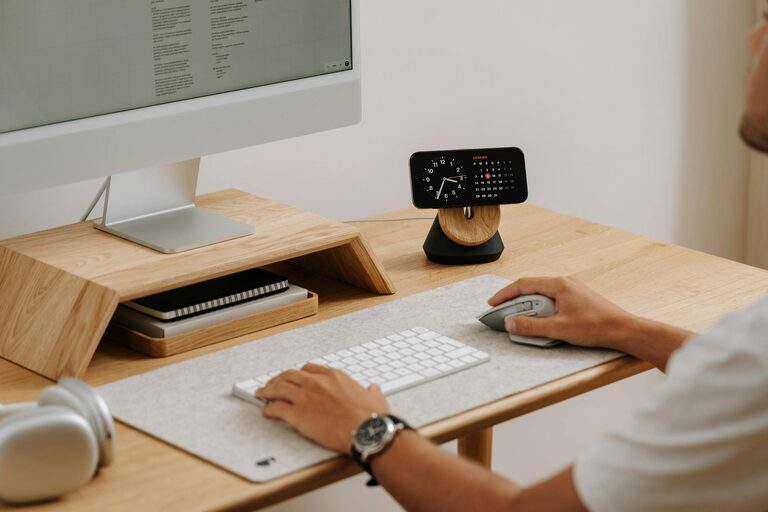
– Use cable management tools to avoid tangled cords.
Step 4: Create Zones for Specific Tasks
Dividing your workspace into zones can help you switch between activities smoothly:
– Primary work zone: Your desk area with computer, notepad, and essential tools.
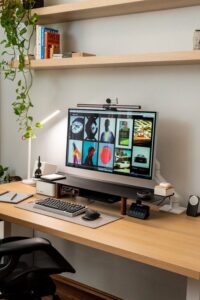
– Reference zone: Shelves or stands for books, manuals, or folders.
– Creative zone: Space for brainstorming, sketching, or informal tasks if room allows.
Step 5: Optimise Lighting
Good lighting is crucial to reduce eye strain and improve alertness:
– Use a combination of natural light and task lighting.
– Desk lamps with adjustable brightness and direction work well.
– Position monitors perpendicular to windows to avoid glare.
Step 6: Personalise Mindfully
Adding personal touches can make your workspace inviting, but avoid overcrowding:
– Use a few meaningful photos or art pieces.
– Incorporate plants to freshen the air and add colour.
– Choose calming colours and décor that promote focus.
Step 7: Maintain Organisation Regularly
An organised workspace requires ongoing effort:
– Set aside 5-10 minutes at the end of each day to tidy up.
– Regularly reassess your setup to remove unused items.
– Keep cleaning supplies handy for quick dusting or wiping.
Step 8: Utilise Digital Organisation Tools
Physical organisation pairs well with digital tools:
– Use apps for task management and scheduling.
– Store files in well-structured digital folders.
– Minimise desktop icons and keep digital distractions to a minimum.
Benefits of an Organised Home Workspace
By following these steps, you can enjoy:
– Increased concentration and focus.
– Reduced stress levels from clutter-free surroundings.
– Smoother daily routines and less wasted time searching for items.
– Improved physical comfort and health.
Final Thoughts
Organising your home workspace is an ongoing process tailored to your needs and preferences. Start small, be consistent, and adjust your environment until it supports your productivity fully. A well-ordered workspace creates not only an efficient workday but also a more enjoyable work experience at home.